
Coding has become easier than ever thanks to Artificial Intelligence. Whether you are a student learning programming, a beginner building your first website, or a professional developer looking to save time, AI coding tools can help you write code faster and with fewer mistakes. In this article, you will read about some of the Best AI Tools for Coding.
Today, AI can generate code, explain programming concepts, fix bugs, create websites, and even help you learn new programming languages.
In this guide, we will explore the best AI tools for coding in 2026, their features, advantages, limitations, and which tool is best for different types of users.
What Are AI Coding Tools?

AI coding tools are software applications powered by artificial intelligence that assist programmers during software development.
These tools can:
- Generate code from simple instructions
- Explain complex code snippets
- Detect and fix bugs
- Suggest code completions
- Convert code between programming languages
- Create documentation
- Help beginners learn programming faster
Instead of spending hours searching for solutions online, developers can ask an AI assistant and receive immediate guidance.
Why Use AI for Coding?
AI coding assistants provide several benefits:
Faster Development
AI can generate repetitive code in seconds, reducing development time.
Better Learning Experience
Beginners can ask questions and receive explanations tailored to their skill level.
Fewer Errors
Many AI coding tools identify bugs and suggest fixes before code is deployed.
Increased Productivity
Developers spend less time on routine tasks and more time solving important problems.
Multi-Language Support
Most modern AI coding tools support popular languages including:
- Python
- JavaScript
- Java
- C++
- C#
- PHP
- Go
- Ruby
- TypeScript
1. ChatGPT
Overview
ChatGPT remains one of the most popular AI tools for coding. It can generate code, explain programming concepts, debug errors, and create complete projects.
Key Features
- Code generation
- Bug fixing
- Code explanation
- Project planning
- Learning support
- Multiple programming languages
Best For
- Beginners learning programming
- Students
- Freelancers
- Web developers
Pros
- Easy to use
- Excellent explanations
- Supports many languages
- Useful for learning concepts
Cons
- Sometimes produces incorrect code
- May require verification and testing
Example Use Cases
You can ask:
- Create a Python calculator
- Build a responsive HTML website
- Explain JavaScript promises
- Fix this PHP error
For beginners, ChatGPT is often the easiest place to start.
2. Claude Code
Overview
Claude Code has become a favorite among developers because of its ability to understand large codebases and maintain context across multiple files.
Key Features
- Large context window
- Code review
- Project analysis
- Documentation generation
- Refactoring assistance
Best For
- Intermediate developers
- Software teams
- Large projects
Pros
- Strong reasoning ability
- Excellent code explanations
- Handles large projects well
Cons
- Can be overwhelming for complete beginners
Example Use Cases
- Analyze an entire project
- Review source code
- Generate technical documentation
- Refactor old applications
3. GitHub Copilot
Overview
GitHub Copilot is one of the most widely used AI coding assistants. It works directly inside popular code editors and suggests code while you type.
Key Features
- Real-time code completion
- Function generation
- Inline suggestions
- IDE integration
Supported Editors
- Visual Studio Code
- Visual Studio
- JetBrains IDEs
Best For
- Active developers
- Daily coding tasks
- Productivity improvement
Pros
- Works inside the editor
- Saves significant time
- Learns from context
Cons
- Subscription required
- Suggestions still need review
Example Use Cases
- Auto-completing functions
- Writing repetitive code
- Generating test cases
4. Google Gemini
Overview
Google Gemini combines coding assistance with powerful reasoning and research capabilities.
Key Features
- Code generation
- Bug fixing
- Learning assistance
- Integration with Google services
Best For
- Students
- Beginners
- Web developers
Pros
- User-friendly interface
- Strong coding capabilities
- Helpful explanations
Cons
- Coding responses may vary in quality depending on complexity
Example Use Cases
- Build web applications
- Learn programming concepts
- Generate scripts
5. Cursor
Overview
Cursor is an AI-powered code editor designed specifically for developers.
It has gained popularity because AI features are deeply integrated into the coding environment.
Key Features
- AI chat inside editor
- Project understanding
- Code generation
- Smart editing
Best For
- Developers working on larger projects
- Startup teams
- Full-stack developers
Pros
- Fast workflow
- Deep project awareness
- Modern interface
Cons
- Learning curve for new users
Example Use Cases
- Modify entire code sections
- Build applications faster
- Understand large projects
6. Replit AI
Overview
Replit provides an online coding environment combined with AI assistance.
Beginners particularly appreciate that no installation is required.
Key Features
- Browser-based coding
- AI assistance
- Instant deployment
- Collaboration tools
Best For
- Students
- Coding beginners
- Online learning
Pros
- Easy setup
- Cloud-based
- Great for learning
Cons
- Limited resources in free plans
Example Use Cases
- Learn Python
- Build small projects
- Experiment with new programming languages
7. Amazon Q Developer
Overview
Amazon Q Developer is an AI coding assistant designed to help developers build applications faster.
Key Features
- Code generation
- AWS integration
- Security recommendations
- Debugging support
Best For
- Cloud developers
- AWS users
- Enterprise teams
Pros
- Strong AWS knowledge
- Enterprise-focused features
Cons
- Most useful for AWS environments
Comparison Table
| Tool | Best For | Free Version | Beginner Friendly |
|---|---|---|---|
| ChatGPT | Learning & Coding | Yes | Yes |
| Claude Code | Large Projects | Limited | Moderate |
| GitHub Copilot | Daily Development | Limited | Yes |
| Gemini | Learning & Research | Yes | Yes |
| Cursor | Professional Coding | Limited | Moderate |
| Replit AI | Beginners | Yes | Yes |
| Amazon Q | AWS Development | Yes | Moderate |
Which AI Coding Tool Is Best for Beginners?
If you are just starting your coding journey, these are the best options:
1. ChatGPT
Excellent for explanations, tutorials, and coding help.
2. Gemini
Great for learning concepts and generating code examples.
3. Replit AI
Ideal if you want to code directly in your browser without installing software.
A combination of ChatGPT and Replit AI can provide an excellent learning experience for most beginners.
Tips for Using AI Coding Tools Effectively
Verify AI-Generated Code
Always test generated code before using it in real projects.
Learn the Logic
Do not simply copy and paste. Understand how the code works.
Ask Better Questions
Detailed prompts produce better results.
Instead of:
“Create a website”
Try:
“Create a responsive portfolio website using HTML, CSS, and JavaScript with a dark theme.”
Use AI as a Teacher
Ask AI to explain:
- Functions
- Loops
- APIs
- Databases
- Algorithms
This helps you improve your programming skills over time.
Common Mistakes Beginners Make
Blindly Trusting AI
AI can make mistakes. Always verify output.
Ignoring Documentation
Official documentation remains an important learning resource.
Skipping Fundamentals
AI tools should supplement learning, not replace understanding.
Not Practicing
The best way to learn coding is still building projects yourself.
Future of AI in Coding
AI coding tools continue to improve rapidly. Future coding assistants may:
- Build complete applications from simple descriptions
- Automatically fix bugs
- Create tests and documentation
- Optimize performance
- Help non-programmers build software
While AI is making development easier, human creativity, problem-solving, and software design skills remain valuable.
Final Thoughts
AI coding assistants have transformed software development. They help beginners learn faster and enable experienced developers to become more productive.
For most beginners, ChatGPT, Gemini, and Replit AI offer the best balance of simplicity and functionality. As your skills grow, tools like GitHub Copilot, Cursor, and Claude Code can further improve your workflow.
The key is to use AI as a learning companion rather than a replacement for understanding programming concepts. When used correctly, AI tools can significantly accelerate your coding journey and help you build projects with confidence.
You can also explore following topics:
Claude Code Tutorial for Beginners (2026 Guide)

End Times Fascism: And the Fight for the Living World
₹2,739.00 (as of October 28, 2026 05:29 GMT +00:00 – More infoProduct prices and availability are accurate as of the date/time indicated and are subject to change. Any price and availability information displayed on [relevant Amazon Site(s), as applicable] at the time of purchase will apply to the purchase of this product.)
Artificial Intelligence Essentials You Always Wanted to Know: Master AI Fundamentals, ML Techniques, NLP, Deep Learning, and Generative AI to Build Real-World Skills and Ethical AI Solutions
₹472.00 (as of October 28, 2026 05:29 GMT +00:00 – More infoProduct prices and availability are accurate as of the date/time indicated and are subject to change. Any price and availability information displayed on [relevant Amazon Site(s), as applicable] at the time of purchase will apply to the purchase of this product.)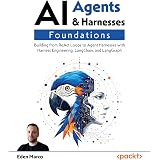
AI Agents & Harnesses Foundations: Building from ReAct Loops to Agent Harnesses with Harness Engineering, LangChain, and LangGraph
₹2,889.00 (as of October 28, 2026 05:29 GMT +00:00 – More infoProduct prices and availability are accurate as of the date/time indicated and are subject to change. Any price and availability information displayed on [relevant Amazon Site(s), as applicable] at the time of purchase will apply to the purchase of this product.)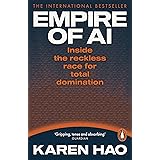
Empire of AI: Inside the reckless race for total domination
₹478.00 (as of October 28, 2026 05:29 GMT +00:00 – More infoProduct prices and availability are accurate as of the date/time indicated and are subject to change. Any price and availability information displayed on [relevant Amazon Site(s), as applicable] at the time of purchase will apply to the purchase of this product.)