
If you are interested in AI chatbots, you may have heard of Character AI, also written as Character.AI. Unlike a general-purpose AI assistant, Character.AI is designed around conversations with AI Characters that can have different personalities, backgrounds, roles, and conversation styles.
So, what is Character AI, and how does it work?
Character.AI is an AI chatbot platform where you can chat with existing Characters or create your own. You can use it for entertainment, storytelling, role-playing, brainstorming, learning, and other conversational experiences.
In this beginner-friendly guide, you will learn what Character AI is, how it works, how to use it, how to create a Character, whether Character AI is free, and what has changed in 2026.
What Is Character AI?
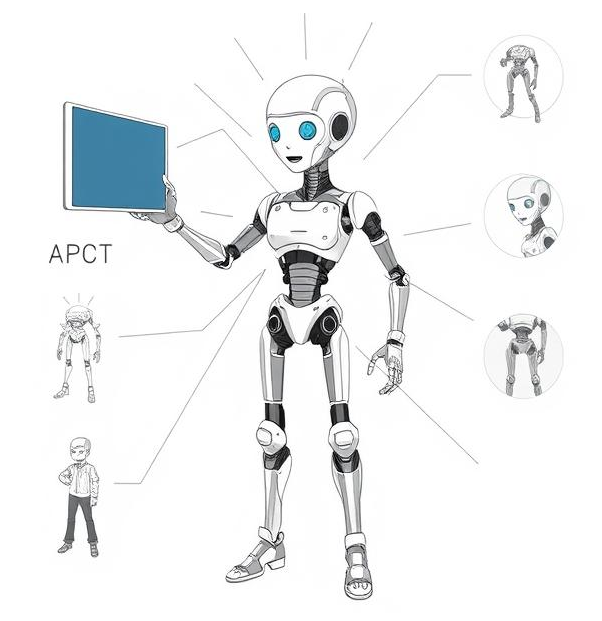
Character AI is an AI chatbot platform that lets users have conversations with AI-powered Characters.
Instead of interacting with one general chatbot, you can choose Characters designed for different purposes and personalities.
For example, you may find Characters designed to act as:
- Fictional characters
- Storytelling partners
- Teachers or tutors
- Writing assistants
- Role-playing characters
- Historical figures
- Game characters
- Original Characters created by other users
The experience is centered on conversation. You type a message, and the AI Character generates a response based on the Character’s instructions, personality, conversation context, and the AI models powering the platform.
Character.AI also allows users to create their own Characters and share them with other people.
How Does Character AI Work?
Character.AI uses artificial intelligence to generate responses to your messages.
When you start a conversation, the Character uses information associated with that Character and the conversation to produce a response.
A Character can be designed with several elements, including:
- Name: The Character’s name.
- Avatar: The Character’s profile image.
- Voice: The voice used for supported audio experiences.
- Greeting: The opening message users see when starting a conversation.
- Tags: Labels that help users discover Characters.
- Tagline: A short description of the Character.
- Description: Additional information about the Character.
- Definition: Instructions that help shape the Character’s personality, behavior, background, and responses.
Character.AI’s current Creator Guide describes these elements as important parts of building a Character.
The result is intended to feel more like talking to a particular personality than using a traditional search engine.
What Can You Do With Character AI?
Character.AI can be used for many different types of conversations.
1. Have conversations with AI Characters
You can choose a Character and start a conversation by typing a message.
The Character responds using AI-generated text, allowing you to continue the conversation.
2. Create stories
Character.AI can be useful for interactive storytelling.
You can create a scenario and ask Characters to participate in the story. This can make the experience more interactive than simply reading a story.
3. Role-play different situations
Role-playing is one of the major uses of Character.AI.
You can create or select Characters with particular personalities and use them in fictional scenarios.
4. Brainstorm ideas
You can also use AI Characters to brainstorm:
- Story ideas
- Characters
- Dialogue
- Creative projects
- Names
- Fictional worlds
- Writing concepts
For more general AI writing and content creation, you can also explore our guide to AI text generators.
5. Practice conversations
Character.AI can also be used to practice conversations in different situations.
For example, you could create a Character that acts as a conversation partner while you practice explaining an idea or developing dialogue.
However, AI-generated responses should not automatically be treated as expert advice, especially for medical, legal, financial, or other high-stakes subjects.
How to Use Character AI
Getting started with Character.AI is relatively simple.
Step 1: Open Character.AI
Go to the Character.AI website or use its mobile application.
You can browse available Characters and choose one that matches what you want to do.
Step 2: Choose a Character
Search for a Character or browse the available options.
Depending on what you want to do, you might choose a Character for storytelling, role-playing, learning, entertainment, or casual conversation.
Step 3: Start a conversation
Open the Character and type your message.
For example, you could ask a fictional Character a question or give it instructions for a story.
The Character will generate a response.
Step 4: Continue the conversation
You can continue sending messages and build a conversation over time.
The quality of the experience can depend on how clearly you communicate what you want.
For example, instead of writing:
Tell me a story.
You could provide more context:
Create a short mystery story set in Delhi. I want to be the detective and make decisions that affect the story.
The second prompt gives the AI much more information to work with.
How to Create Your Own Character in Character AI
One of the most useful features of Character.AI is the ability to create your own Character.
According to Character.AI’s current 2026 Creator Guide, you can create a Character by adding details such as a name, avatar, voice, greeting, tags, visibility settings, description, and Character Definition.
The basic process is:
1. Select Create
On the web version, Character.AI’s current instructions say to select + Create and then choose Character.
On mobile, the creation option is available through the + button.
2. Give your Character a name
Choose a name that clearly represents the Character.
The name can influence how easily people recognize and discover the Character.
3. Add an avatar
You can upload an image or use Character.AI’s available generation option to create an avatar.
Character.AI currently recommends a square image, with at least 512 × 512 pixels working best.
4. Choose a voice
Where supported, you can select a voice from the available options or create one using an audio sample.
Character.AI’s current creation guide says users can create a voice from a 3–15 second audio clip.
5. Write a greeting
The greeting is the first message users see when they start chatting with your Character.
A good greeting should give users an idea of the Character’s personality and provide something they can respond to.
6. Add tags
Tags help categorize your Character and make it easier for people to discover it.
For example, you might use tags related to genres, personalities, stories, or role-playing scenarios.
7. Set visibility
Character.AI currently provides different visibility choices, including:
- Public: Other users can discover and chat with the Character.
- Unlisted: People with the direct link can access it.
- Private: Only you can access it.
8. Add a description and Character Definition
You can provide additional information about your Character.
The Character Definition can help describe its personality, background, speaking style, behavior, and other instructions.
This information helps shape how the Character behaves during conversations.
Is Character AI Free?
Yes, Character.AI can be used for free.
Character.AI’s current September 2026 information states that free users have access to unlimited messaging. The company also offers a paid c.ai+ subscription.
The free version is therefore enough for beginners who simply want to explore Character.AI and chat with Characters.
What Is c.ai+?
c.ai+ is Character.AI’s paid subscription option.
According to Character.AI’s current information, c.ai+ includes benefits such as:
- Faster message generation
- Skipping waiting rooms
- An exclusive community channel
- A c.ai+ membership badge
- Early access to some new features
Character.AI says that response quality is currently the same between free users and c.ai+ subscribers.
The company currently reports that c.ai+ messages are generated approximately 2–3 times faster.
If you are just learning how Character.AI works, there is no need to subscribe immediately. You can start with the free version and decide whether the additional features are useful to you.
Character AI Features in 2026
Character.AI continues to add features for both users and Character creators.
One notable area of development in 2026 is the creator experience.
Character.AI’s updated Creator Guide covers tools such as Characters, voices, greetings, tags, descriptions, definitions, and other ways to customize Characters.
Character.AI has also introduced creator-focused features designed to help creators understand how their Characters are performing and being discovered.
Another newer feature is Lorebooks, which are currently in beta for c.ai+ subscribers. Lorebooks can store information about locations, side characters, events, rules, and other details that can be brought into a conversation when relevant keywords are mentioned.
Because Character.AI continues to change, some features may differ between the website and mobile application.
Is Character AI the Same as ChatGPT?
No. Character.AI and ChatGPT are different AI platforms designed around somewhat different experiences.
Character.AI focuses heavily on conversations with Characters, role-playing, storytelling, and user-created personalities.
ChatGPT is a more general-purpose AI assistant that can help with tasks such as writing, research, coding, analysis, brainstorming, and learning.
That does not mean one is universally better than the other.
Your choice depends on what you want to accomplish.
For example:
| Character.AI | ChatGPT |
|---|---|
| Character-based conversations | General-purpose AI assistant |
| Role-playing | Writing and analysis |
| Interactive storytelling | Coding and technical tasks |
| User-created Characters | Broad range of AI tasks |
| Entertainment-focused conversations | Learning, productivity and research |
If you want to learn more about different AI tools, you can also explore our AI tools and tutorials.
Is Character AI Safe?
As with any online AI service, you should use Character.AI responsibly.
AI-generated responses can sometimes be inaccurate, misleading, or inappropriate. You should also avoid sharing sensitive personal information with an AI chatbot.
Keep the following points in mind:
- Do not share passwords or financial information.
- Avoid sharing sensitive personal details.
- Do not assume that every AI response is factually correct.
- Check important information using reliable sources.
- Follow the platform’s rules and safety guidelines.
- Parents should consider the platform’s age-related requirements and safety information before allowing children to use it.
Character.AI maintains a dedicated Safety Center and Help Center covering platform rules, moderation, privacy, and age-related information.
Is Character AI Useful for Students?
Character.AI can be useful for some educational and creative activities, but students should use it as a supporting tool rather than treating every response as an authoritative source.
For example, a student could use an AI Character to:
- Practice a conversation
- Brainstorm a story
- Explore a fictional scenario
- Practice explaining an idea
- Generate creative writing prompts
- Simulate a discussion
For factual schoolwork, students should verify information independently.
If you are interested in AI for education, you can also explore other beginner-friendly AI tutorials on AI Tools Info.
Advantages of Character AI
Character.AI has several advantages for people who enjoy conversational AI.
Easy to start
You can select an existing Character and begin chatting without building an AI system yourself.
Large variety of Characters
There are many different Characters and conversation styles to explore.
Good for creative activities
It can be useful for storytelling, role-playing, brainstorming, and creative experimentation.
Custom Characters
Users can create their own Characters and customize their behavior.
Free access
You can use Character.AI without paying for a c.ai+ subscription.
Limitations of Character AI
Character.AI also has limitations.
AI responses can be inaccurate
The Character may produce information that sounds convincing but is incorrect.
Conversations are not always consistent
AI Characters can sometimes forget details or behave differently as a conversation becomes longer.
Features can change
Character.AI is actively developing its platform, so available features and subscription benefits can change.
Not a replacement for experts
You should not depend on an AI Character for professional medical, legal, financial, or other high-stakes advice.
Frequently Asked Questions
What is Character AI used for?
Character.AI is mainly used for conversations with AI Characters, role-playing, interactive storytelling, brainstorming, entertainment, and other creative activities.
Is Character AI free?
Yes. Character.AI currently offers free and unlimited messaging. It also offers the optional paid c.ai+ subscription with additional benefits.
Can I create my own Character in Character AI?
Yes. Character.AI allows users to create Characters by adding details such as a name, avatar, greeting, tags, description, voice, and Character Definition.
Can I use Character AI on a phone?
Yes. Character.AI provides mobile applications as well as access through the web. The exact interface and available features can vary between platforms.
Is Character AI the same as ChatGPT?
No. Character.AI focuses more on Character-based conversations and role-playing, while ChatGPT is designed as a broader general-purpose AI assistant.
Can Character AI create stories?
Yes. You can use Character.AI for interactive storytelling and role-playing by choosing or creating Characters and providing a scenario.
What is c.ai+?
c.ai+ is Character.AI’s paid subscription plan. It provides benefits such as faster message generation, waiting-room skipping, and early access to some features.
Final Thoughts
So, what is Character AI?
Character.AI is an AI chatbot platform built around conversations with customizable AI Characters. Instead of interacting with only one general-purpose assistant, you can explore Characters with different personalities, backgrounds, voices, and conversation styles.
For beginners, the easiest way to understand Character.AI is simply to try a few Characters and see how the conversations work.
If you enjoy creative writing, storytelling, role-playing, or experimenting with conversational AI, Character.AI can be an interesting AI tool to explore.
And if you want to go further, you can create your own Character and customize its personality, greeting, appearance, tags, voice, and other settings.
As Character.AI continues adding features in 2026, this makes it more than just an AI chatbot. It is becoming a platform for creating and interacting with personalized AI Characters.
The AI-Driven Leader: Harnessing AI to Make Faster, Smarter Decisions
₹455.00 (as of October 11, 2026 13:13 GMT +00:00 – More infoProduct prices and availability are accurate as of the date/time indicated and are subject to change. Any price and availability information displayed on [relevant Amazon Site(s), as applicable] at the time of purchase will apply to the purchase of this product.)
Co-Existence: The Next Phase of AI
₹964.00 (as of October 11, 2026 13:13 GMT +00:00 – More infoProduct prices and availability are accurate as of the date/time indicated and are subject to change. Any price and availability information displayed on [relevant Amazon Site(s), as applicable] at the time of purchase will apply to the purchase of this product.)
10X Yourself Using AI | Quick and Easy Ways to Massively Increase Your Output
₹373.00 (as of October 11, 2026 13:13 GMT +00:00 – More infoProduct prices and availability are accurate as of the date/time indicated and are subject to change. Any price and availability information displayed on [relevant Amazon Site(s), as applicable] at the time of purchase will apply to the purchase of this product.)
Build Passive Income with AI – No Code? No Budget? No Problem!: Join the Digital Gold Rush Before It Passes You By
₹230.00 (as of October 11, 2026 13:13 GMT +00:00 – More infoProduct prices and availability are accurate as of the date/time indicated and are subject to change. Any price and availability information displayed on [relevant Amazon Site(s), as applicable] at the time of purchase will apply to the purchase of this product.)