
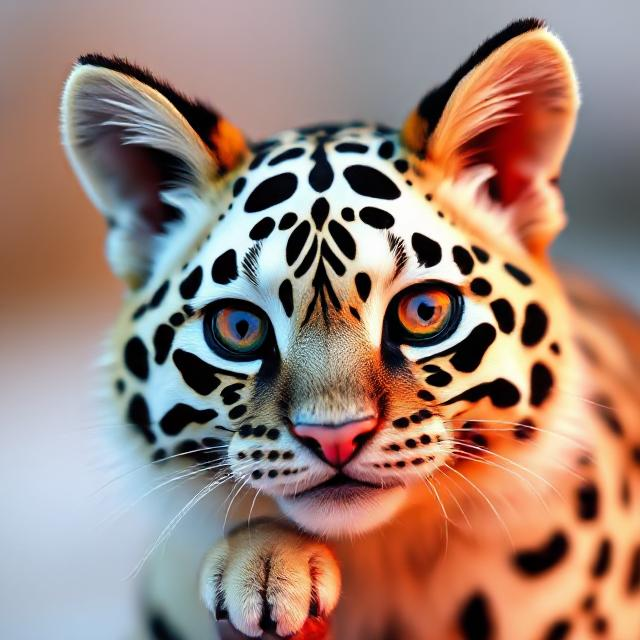
A free AI image generator from text can turn a simple written description into an image within seconds. You only need to describe what you want, using a text prompt, and the AI image generator creates a visual based on your instructions.
For example, you could enter a prompt such as:
“A golden retriever driving a vintage red car on a country road at sunset.”
The AI can use that description to create an image that matches the subject, setting, style, lighting, and other details in your prompt.
Today, many AI image generators are available online. Some offer free image generation with limited credits or features, while others provide additional features through paid plans.
In this guide, we look at some useful free AI image generators from text and explain how beginners can use them.
What Is a Free AI Image Generator From Text?

A free AI image generator from text is an AI-powered tool that creates images from written descriptions.
You provide a prompt describing the image you want. The AI then interprets the text and generates one or more images based on your instructions.
For example, you could use a prompt like:
“A small cabin beside a lake surrounded by mountains, realistic photography, golden-hour lighting.”
The result can be used for ideas, blog graphics, social media content, presentations, learning projects, and other creative purposes.
The quality of the result depends partly on the AI model you use and how clearly you describe your idea.
How to Write a Prompt for AI Image Generation
You do not need complicated instructions to start generating images. A simple description can work well.
For better results, include details such as:
- Subject: What should appear in the image?
- Location: Where should the subject be?
- Style: Photorealistic, illustration, cartoon, 3D, painting, etc.
- Lighting: Sunset, studio lighting, soft light, dramatic lighting, etc.
- Composition: Close-up, wide shot, aerial view, portrait, etc.
- Mood: Peaceful, futuristic, dramatic, cheerful, or mysterious.
For example, instead of writing:
“A dog in a car”
you could write:
“A golden retriever sitting in the driver’s seat of a classic red car, realistic photography, mountain road in the background, warm sunset lighting.”
The second prompt gives the AI much more information to work with.
Best Free AI Image Generators From Text
Here are some AI image generation tools worth considering in 2026.
1. Canva AI Image Generator
Canva provides several AI-powered image-generation features through its design platform. Canva has integrated different AI technologies into its creative tools, making it convenient for beginners who want to generate an image and then use it in a design.
You can describe the image you want using a text prompt and generate visuals directly within Canva.
For example, you could enter:
“A dog driving a classic car on a highway at sunset.”
After generating an image, you can continue editing it in Canva. This is particularly useful if you want to create a social media post, presentation, poster, blog graphic, or other design rather than simply downloading an image.
How to generate an image in Canva
- Open Canva and sign in or create an account.
- Start a new design.
- Open the relevant AI image-generation feature.
- Enter a detailed text prompt.
- Generate the image.
- Select the result you like.
- Continue editing it or download your design.
Canva may provide different AI image-generation options and usage limits depending on your account and the features currently available.
2. Adobe Firefly
Adobe Firefly is Adobe’s generative AI platform for creating and editing images.
You can describe the image you want using a text prompt, and Firefly generates images based on that description.
For example, you could enter:
“Birds flying above a calm blue sea at sunrise, realistic photography.”
Firefly can also provide controls that let you adjust the appearance and style of the generated image.
How to use Adobe Firefly
- Open Adobe Firefly.
- Sign in or create an Adobe account if required.
- Choose the image-generation feature.
- Enter your prompt in the text box.
- Generate the image.
- Experiment with different styles and settings.
- Download or continue editing the result when appropriate.
Adobe regularly updates Firefly and its available models and features, so the exact interface and available options can change over time.
3. DeepAI Image Generator
DeepAI provides a text-to-image generator that allows users to create images from written prompts.
For example, you could enter:
“A lion wearing a golden crown, detailed fantasy artwork.”
The tool then generates an image based on your description.
You can try the DeepAI image generator.
DeepAI can be useful if you want a straightforward text-to-image tool without needing a complicated design workflow.
How to use DeepAI
- Open the DeepAI text-to-image generator.
- Enter a description of the image you want.
- Click the generate option.
- Wait for the image to be created.
- Review the result.
- Try another prompt if you want a different result.
Free usage and available features can change, so check the current terms on DeepAI before relying on it for regular or commercial image generation.
Canva vs Adobe Firefly vs DeepAI
| Tool | Best for | Beginner-friendly | Text-to-image |
|---|---|---|---|
| Canva | Designs, presentations and social media graphics | Yes | Yes |
| Adobe Firefly | AI image generation and creative editing | Yes | Yes |
| DeepAI | Simple text-to-image generation | Yes | Yes |
The best option depends on what you want to do after generating the image.
If you want to create a complete graphic around your AI-generated image, Canva can be convenient. If you want Adobe’s creative ecosystem and generative editing features, Firefly is worth exploring. If you simply want to experiment with text-to-image generation, DeepAI is another option.
Tips for Getting Better AI-Generated Images
The quality of an AI-generated image can improve when your prompt gives the model clear instructions.
1. Be specific
Instead of:
“A city”
try:
“A futuristic city at night with illuminated skyscrapers, flying vehicles and people walking on a busy street.”
2. Mention the visual style
You can specify the style you want, such as:
- Photorealistic
- Digital art
- 3D render
- Watercolor
- Cartoon
- Cinematic
- Illustration
3. Describe the lighting
Lighting can significantly change the appearance of an image.
For example:
“Soft morning light”
or
“Dramatic cinematic lighting.”
4. Describe the composition
You can tell the AI how you want the scene framed.
Examples include:
- Close-up portrait
- Wide-angle view
- Aerial view
- Product photography
- Landscape composition
5. Experiment with your prompts
Your first result may not be exactly what you imagined. Try changing a few words rather than completely rewriting the prompt every time.
For example, you could change:
“realistic photo”
to:
“cinematic photorealistic image with detailed lighting.”
Are Free AI Image Generators Really Free?
Many AI image generators offer some form of free access, but “free” does not always mean unlimited.
A service may limit the number of generations you can make, restrict certain features, provide a limited number of credits, or reserve higher-quality features for paid plans.
Some tools may also require you to create an account before generating images.
Therefore, check the tool’s current pricing and usage terms before using it for a large project or commercial work.
Can You Use AI-Generated Images for a Blog?
Yes, AI-generated images can be useful for blog posts, tutorials, social media posts, presentations, and other content.
However, you should check the specific tool’s current terms of use and licensing conditions before using generated images commercially.
For a blog such as AI Tools Info, AI-generated images can also help make tutorials easier to understand. For example, you could create a custom illustration showing how a text-to-image prompt works.
You can also explore other AI applications on this website, including AI for Data Analytics.
Final Thoughts
A free AI image generator from text makes it possible to create images simply by describing what you want.
For beginners, Canva, Adobe Firefly, and DeepAI are useful places to start. Each tool has different features, usage limits, and workflows, so the best choice depends on your needs.
When creating images, focus on writing clear prompts that describe the subject, setting, style, lighting, and composition. If the first result is not what you expected, improve the prompt and generate another version.
AI image generation is becoming increasingly useful for bloggers, students, creators, marketers, and businesses. With a good prompt and the right tool, you can turn a simple idea into a useful visual in just a few steps.
The Singularity is Nearer: When We Merge with AI
₹475.00 (as of October 11, 2026 13:13 GMT +00:00 – More infoProduct prices and availability are accurate as of the date/time indicated and are subject to change. Any price and availability information displayed on [relevant Amazon Site(s), as applicable] at the time of purchase will apply to the purchase of this product.)
The AI Engineer’s Blueprint: From First Principles to Production Systems — Building Real-World AI with LLMs, RAG, AI Agents, and Evals
₹279.00 (as of October 11, 2026 13:13 GMT +00:00 – More infoProduct prices and availability are accurate as of the date/time indicated and are subject to change. Any price and availability information displayed on [relevant Amazon Site(s), as applicable] at the time of purchase will apply to the purchase of this product.)
End Times Fascism: And the Fight for the Living World
₹2,593.00 (as of October 11, 2026 13:13 GMT +00:00 – More infoProduct prices and availability are accurate as of the date/time indicated and are subject to change. Any price and availability information displayed on [relevant Amazon Site(s), as applicable] at the time of purchase will apply to the purchase of this product.)
AGI Chronicles
₹1,985.00 (as of October 11, 2026 13:13 GMT +00:00 – More infoProduct prices and availability are accurate as of the date/time indicated and are subject to change. Any price and availability information displayed on [relevant Amazon Site(s), as applicable] at the time of purchase will apply to the purchase of this product.)
Leave a Reply