
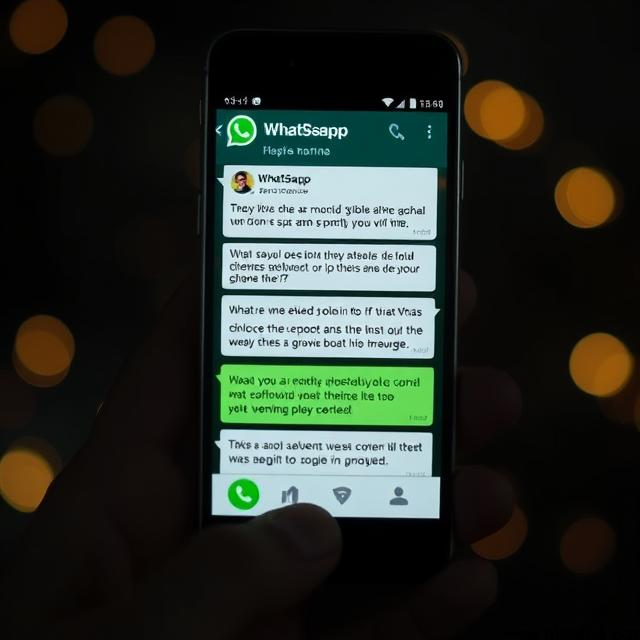

Meta AI is integrated into WhatsApp for many users. It can help answer questions, generate ideas, provide information, and interact with users through AI-powered features.
However, not everyone wants to use Meta AI in WhatsApp. You may prefer a simpler WhatsApp experience, have privacy concerns, or simply not want an AI assistant appearing in your chats.
If you are looking for how to disable Meta AI in WhatsApp, there is an important point to understand first: WhatsApp does not generally provide a universal switch that completely removes Meta AI from the app for every user.
However, depending on your WhatsApp version and the features available on your account, you can limit your interaction with Meta AI and remove or hide some Meta AI conversations.
This guide explains what you can and cannot do on Android in 2026.
Can You Completely Disable Meta AI in WhatsApp?
In most cases, you cannot completely remove Meta AI from WhatsApp using a single setting.
Meta has integrated AI features into WhatsApp, and availability can vary by country, app version, and account.
You may see Meta AI through features such as:
- A Meta AI icon or shortcut
- Meta AI chats
- AI-powered search or suggestions
- Meta AI in group conversations
- AI-generated responses
- The
@Meta AIcommand in supported chats
Because these features are built into WhatsApp, deleting a Meta AI chat does not necessarily remove Meta AI from the application.
However, you can avoid using Meta AI and, where WhatsApp provides the option, delete or hide conversations with it.
How to Disable Meta AI in WhatsApp
There may not be a universal Disable Meta AI button, but you can take several steps to reduce or stop your interaction with it.
Method 1: Delete the Meta AI Chat
If a Meta AI conversation appears in your WhatsApp chat list, you can delete the conversation.
On Android:
- Open WhatsApp.
- Find the Meta AI conversation in your Chats list.
- Press and hold the Meta AI chat.
- Tap the Delete icon.
- Confirm that you want to delete the chat.
This removes the conversation from your chat list.
However, deleting the chat does not necessarily disable Meta AI. The Meta AI feature may still appear elsewhere in WhatsApp.
Method 2: Avoid Using Meta AI
The simplest way to stop interacting with Meta AI is to avoid opening or sending messages to the Meta AI assistant.
You do not need to use Meta AI to continue using WhatsApp for normal messaging, voice calls, video calls, groups, and other standard features.
If you see an AI button or shortcut, you can simply leave it unused.
Method 3: Do Not Mention @Meta AI
In WhatsApp conversations where Meta AI is supported, you may be able to invoke the assistant using an @Meta AI command.
If you do not want to use Meta AI, avoid selecting or mentioning it.
Your normal WhatsApp messages can continue without using the AI assistant.
Method 4: Remove Meta AI Conversations From Your Chat List
If your main concern is seeing Meta AI in your conversations, deleting the Meta AI conversation can make your chat list cleaner.
To do this:
- Open WhatsApp on your Android phone.
- Locate the Meta AI conversation.
- Press and hold it.
- Select Delete.
- Confirm the deletion.
Keep in mind that Meta AI may become visible again if you interact with the feature or if WhatsApp changes how the feature is presented.
What If There Is No Disable Option?
Do not worry if you cannot find a setting called Disable Meta AI.
WhatsApp does not necessarily offer the same Meta AI controls to every user. The available options can depend on your app version, region, account, and the features currently being rolled out.
Therefore, if you open WhatsApp settings and cannot find a Meta AI disable option, it does not necessarily mean that something is wrong with your app.
You can still avoid using the feature and delete Meta AI conversations where the app allows you to do so.
Can You Remove the Meta AI Button From WhatsApp?
This is another common question.
If Meta AI is integrated into your version of WhatsApp, you may not have an option to permanently remove its icon or shortcut.
The appearance of Meta AI can change as WhatsApp updates its interface.
Therefore, be careful with online guides that recommend changing hidden settings, installing modified versions of WhatsApp, or using unofficial apps to remove Meta AI.
Using unofficial WhatsApp versions can create security and privacy risks.
Does Deleting Meta AI Delete WhatsApp?
No.
Deleting a Meta AI conversation does not delete your WhatsApp account or your normal WhatsApp conversations.
You can continue using WhatsApp normally after deleting the Meta AI chat.
The important distinction is:
Delete Meta AI chat ≠ Disable Meta AI
Deleting the conversation removes that particular chat from your chat list. It does not necessarily turn off the Meta AI feature itself.
Can You Turn Off Meta AI Notifications?
If you receive notifications from a Meta AI conversation, you can manage notifications for that particular chat if WhatsApp provides the relevant option.
For example, you can open the Meta AI conversation and look for notification or mute options.
The exact menu may vary between WhatsApp versions.
If you want to reduce interruptions, muting the conversation can be useful, although it does not disable Meta AI itself.
Is Meta AI Mandatory for Using WhatsApp?
No.
You can continue using WhatsApp’s normal messaging features without actively using Meta AI.
You can send messages to your contacts, participate in groups, make calls, share media, and use other standard WhatsApp features without having a conversation with Meta AI.
The presence of Meta AI in the application does not mean that you have to use it.
Does Meta AI Read All Your WhatsApp Messages?
The answer requires some nuance.
WhatsApp’s personal messages and calls are protected by end-to-end encryption. However, when you intentionally interact with Meta AI, the information you send to the AI feature is processed as part of that interaction.
For this reason, you should avoid entering sensitive personal information into an AI assistant unless you understand how the feature handles that information.
You should also remember that a message you send to Meta AI is different from a normal private conversation with another WhatsApp contact.
How to Avoid Sharing Information With Meta AI
If you do not want to interact with Meta AI, the simplest approach is not to send messages to it.
You can also:
- Avoid opening Meta AI chats.
- Do not use
@Meta AIin supported conversations. - Do not enter passwords or sensitive personal information into an AI conversation.
- Delete Meta AI conversations if you do not want them in your chat list.
- Keep WhatsApp updated and review available privacy settings.
Why Does Meta AI Appear in WhatsApp?
Meta has been adding AI features across its apps, including WhatsApp, Instagram, Facebook, and Messenger.
The purpose is to provide users with an AI assistant that can answer questions, generate ideas, assist with searches, and perform other AI-powered tasks.
As Meta continues to develop these features, the way Meta AI appears inside WhatsApp may change.
This is why instructions found in older articles or videos may no longer match the latest version of WhatsApp.
What Should You Do If Meta AI Appears Again?
If you delete a Meta AI chat and it later appears again, this does not necessarily mean that your previous deletion failed.
WhatsApp may continue to provide access to Meta AI through its interface.
If you do not want to use it, simply avoid interacting with it. If a Meta AI conversation appears in your chat list, you can delete it again if the current WhatsApp version provides that option.
Frequently Asked Questions
Can I completely disable Meta AI in WhatsApp?
For many users, WhatsApp does not provide a universal option to completely disable or remove Meta AI. You can generally avoid using the feature and delete or mute Meta AI conversations where those options are available.
Can I delete Meta AI from WhatsApp?
You can delete a Meta AI conversation from your chat list when WhatsApp provides the delete option. This does not necessarily remove Meta AI from the WhatsApp application.
Can I remove the Meta AI icon?
Not necessarily. If Meta AI is integrated into your version of WhatsApp, there may be no setting that permanently removes its icon or shortcut.
Will deleting Meta AI delete my WhatsApp account?
No. Deleting a Meta AI conversation does not delete your WhatsApp account or your normal WhatsApp chats.
Can I use WhatsApp without Meta AI?
Yes. You can continue using WhatsApp’s regular messaging, calling, group, and media-sharing features without actively using Meta AI.
Why can’t I find a Meta AI disable setting?
WhatsApp features and settings can vary by region, account, and app version. Your version may simply not provide a setting to disable Meta AI completely.
Final Thoughts
If you are searching for how to disable Meta AI in WhatsApp, the most important thing to know is that there may not be a complete disable switch available.
Instead, you can avoid interacting with Meta AI, delete Meta AI conversations from your chat list, and use WhatsApp’s available notification and chat controls.
The exact options may change as WhatsApp continues to update its AI features. Therefore, if an option mentioned in an older tutorial is missing from your Android phone, check that you are using the latest version of WhatsApp and look through the current settings available on your account.
You do not need to use Meta AI to continue using WhatsApp’s normal messaging and calling features.
Also read : AI Barbie Doll: The Viral Trend and How to Create Your Own Using ChatGPT and GitHub Copilot
Safe Minds, Smarter Machines
₹313.00 (as of October 11, 2026 13:13 GMT +00:00 – More infoProduct prices and availability are accurate as of the date/time indicated and are subject to change. Any price and availability information displayed on [relevant Amazon Site(s), as applicable] at the time of purchase will apply to the purchase of this product.)
Hooked By Design: Rewilding Your Brain In The Age Of Technology
₹355.00 (as of October 11, 2026 13:13 GMT +00:00 – More infoProduct prices and availability are accurate as of the date/time indicated and are subject to change. Any price and availability information displayed on [relevant Amazon Site(s), as applicable] at the time of purchase will apply to the purchase of this product.)
AI for Bad: 1 (IIT Alumni Council Series)
₹374.00 (as of October 11, 2026 13:13 GMT +00:00 – More infoProduct prices and availability are accurate as of the date/time indicated and are subject to change. Any price and availability information displayed on [relevant Amazon Site(s), as applicable] at the time of purchase will apply to the purchase of this product.)
Artificial Intelligence A Modern Approach 4e | Russell Norvig | Machine Learning, Deep Learning, NLP, Robotics | AI Textbook | Pearson
₹730.00 (as of October 11, 2026 13:13 GMT +00:00 – More infoProduct prices and availability are accurate as of the date/time indicated and are subject to change. Any price and availability information displayed on [relevant Amazon Site(s), as applicable] at the time of purchase will apply to the purchase of this product.)