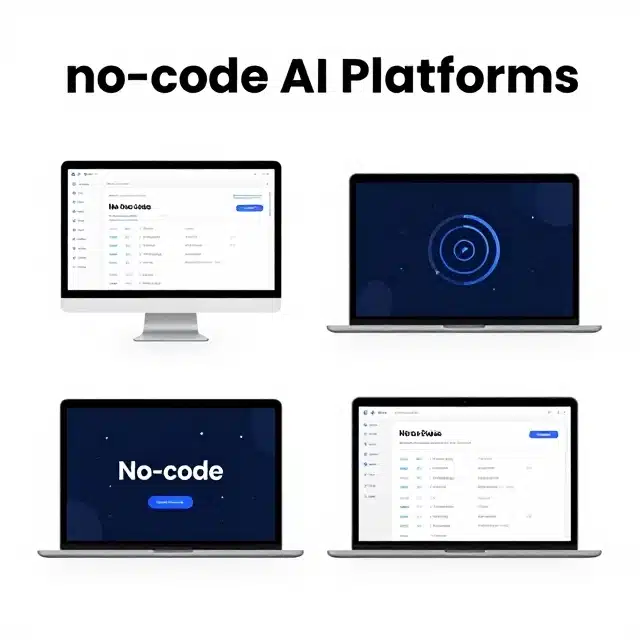
Artificial intelligence is no longer limited to programmers and data scientists. Today, no-code AI platforms make it possible to build AI-powered applications, automate repetitive tasks, create chatbots, and analyze information without writing traditional code.
These platforms use visual builders, ready-made integrations, templates, and AI features to simplify the development process. They are useful for beginners, students, freelancers, marketers, entrepreneurs, and small business owners who want to use AI without hiring a development team.
But not every platform serves the same purpose. Some help you build complete web applications, while others automate tasks between different services or let you experiment with machine learning.
In this guide, we compare six no-code AI platforms in 2026, explain their main features, and help you choose the right tool for your needs.
What Is a No-Code AI Platform?
A no-code AI platform is a software tool that allows people to create AI-powered applications, workflows, and other solutions using visual interfaces instead of writing code.
Rather than programming everything from scratch, you can select components, connect different services, configure settings, and use existing AI models.
For example, a small business owner could create a workflow that collects customer inquiries from a form, uses AI to categorize them, and sends the information to a spreadsheet or customer management system.
Common features include:
- Visual builders: Create applications and workflows using drag-and-drop components.
- AI integrations: Connect language models and other AI services to your projects.
- Workflow automation: Connect apps and automate repetitive tasks.
- Prebuilt templates: Start with an existing workflow instead of building everything from scratch.
- Data management: Organize, process, and analyze information.
- Application development: Build websites, internal tools, and web applications.
If you are new to artificial intelligence, you can first explore our guide on What Is Artificial Intelligence (AI) to understand the basic concepts.
Why Use No-Code AI Platforms in 2026?
No-code AI platforms can reduce the time and technical knowledge needed to create useful applications. Their value depends on the project, the platform, and the amount of customization required.
Here are some important benefits.
1. Build Projects Without Programming
You can create basic applications and automated workflows through visual interfaces. This makes AI development more approachable for people who have never learned programming.
However, advanced projects may still require technical knowledge, especially when they involve custom integrations or complex data processing.
2. Save Time on Repetitive Tasks
Automation tools can connect services and perform routine tasks automatically. For example, you could send new form submissions to a spreadsheet, summarize incoming information, and notify a team member.
3. Reduce Initial Development Costs
A no-code platform may help a freelancer or small business test an idea without immediately paying for custom software development.
Free plans and trials can help you evaluate a tool before committing to a subscription. Check the usage limits carefully because advanced features often require payment.
4. Test Ideas More Quickly
Entrepreneurs can use visual application builders to create prototypes and test them with potential users. This helps identify problems before investing in a larger project.
5. Connect Existing Business Tools
Many platforms integrate with services used for email, spreadsheets, customer support, marketing, and project management. These connections can help reduce manual data entry and repetitive work.
Best No-Code AI Platforms in 2026
The following platforms serve different purposes. The best choice depends on whether you want to build an application, automate a business process, manage data, or experiment with machine learning.
1. Bubble: Best for Building Web Applications
Bubble is a visual development platform for creating interactive web applications without writing traditional application code.
You can design pages, manage data, configure workflows, and add functionality through a visual editor. AI features and integrations can also be incorporated into suitable projects.
Key features
- Visual interface and application builder
- Database and data management capabilities
- Workflow configuration
- Integrations with external services
- Options for building interactive web applications
Best for: Entrepreneurs, startups, and people developing web-based products.
Example use case: You could build a booking application, customer portal, or subscription-based web service. AI integrations could help add features such as text generation or a question-answering assistant.
Limitation: Building a complex application still takes time and planning. You may need to understand databases, application logic, privacy, and integrations.
Verdict: Consider Bubble if your main goal is to build a complete web application rather than simply connect existing apps.
2. Zapier: Best for Workflow Automation
Zapier connects different applications and allows you to automate tasks between them. Its AI capabilities can be incorporated into workflows, depending on the apps and features available to your account.
A Zap generally consists of a trigger and one or more actions. For example, receiving a new form submission can trigger a series of actions in other connected services.
Key features
- Connections between many business applications
- Trigger-and-action automation
- AI steps and automation capabilities
- Workflow templates
- Tools for reducing repetitive administrative work
Best for: Small businesses, freelancers, marketers, and teams that use several online applications.
Example use case: When someone fills out a contact form, Zapier could send the information to a spreadsheet, notify you by email, and initiate a follow-up workflow.
Limitation: Usage limits and paid-plan requirements can become important as the number of automated tasks increases. Complex workflows also need testing.
Verdict: Zapier is a practical starting point if you want to automate everyday tasks without building an application from scratch.
3. Airtable: Best for Organizing Data and Managing Projects
Airtable combines spreadsheet-style data entry with database features and tools for organizing work. Its AI capabilities can help with tasks such as processing text, summarizing information, and supporting workflows, depending on the plan and configuration.
Unlike a traditional spreadsheet, Airtable lets you organize related information into structured tables and different views.
Key features
- Spreadsheet-style interface
- Structured databases and linked records
- Forms and different data views
- Project and task management
- AI-assisted data processing and workflows
Best for: Small teams, project managers, educators, and businesses managing structured information.
Example use case: A marketing team could maintain a content calendar, organize article ideas, track publishing dates, and use available AI features to summarize briefs or categorize content.
Limitation: Airtable is not a complete substitute for every custom application or advanced analytics system. Some AI features and usage allowances depend on the subscription.
Verdict: Choose Airtable if you need to organize business information and create structured workflows without managing a traditional database server.
4. Make: Best for Visual and Multi-Step Automation
Make is a visual automation platform that allows users to connect applications and create workflows involving multiple steps and conditions.
Its visual scenario builder helps you see how information moves from one service to another. This can be useful when a process involves more than a simple trigger and action.
Key features
- Visual workflow builder
- Multi-step automation scenarios
- Conditional routes and data processing
- Integrations with external applications
- AI-related integrations and automation options
Best for: Freelancers, small businesses, and users who need more control over complex workflows.
Example use case: An online business could collect a customer inquiry, classify it, route it to the appropriate team, and record the result in a database.
Limitation: More complicated scenarios can take time to understand and troubleshoot. You should also review operation or credit limits before running large workflows.
Verdict: Make is worth considering when you want to design detailed automations visually and need more flexibility than a basic workflow.
5. Google Teachable Machine: Best for Beginners Learning Machine Learning
Google Teachable Machine is a browser-based tool that helps beginners experiment with machine learning. Users can train simple models with examples of images, sounds, or body poses without writing code.
It is particularly useful for educational projects because you can observe how a model learns from examples.
Key features
- Browser-based model training
- Image, sound, and pose projects
- Visual training process
- Testing with new examples
- Beginner-friendly experimentation
Best for: Students, teachers, hobbyists, and people learning the fundamentals of machine learning.
Example use case: A student could train a simple image classifier to distinguish between two categories of objects, then test it with new images.
Limitation: Teachable Machine is designed primarily for learning and experimentation. It is not a complete platform for building and operating large-scale business AI systems.
Verdict: If you want to understand how machine learning works through a practical project, this is a good place to start.
6. Peltarion: Check Current Availability Before Choosing
Peltarion was associated with visual tools for developing and deploying machine learning models. However, its availability and current product status should be verified before it is considered for a new project.
It is important not to assume that an older AI platform is still available in the same form or offers the same features.
Best for: Researching visual machine learning development platforms, subject to confirming current availability.
What to check before using it
- Whether the original service is still operational
- Whether new accounts can be created
- Whether its tools are supported and maintained
- Current pricing and deployment options
- Documentation and available support
Verdict: Treat Peltarion as a platform requiring further verification rather than a first-choice recommendation for a new project. Beginners should compare currently available alternatives before investing time in it.
No-Code AI Platforms Compared
Use this table to narrow down your options.
| Platform | Main purpose | Best suited for | Difficulty |
|---|---|---|---|
| Bubble | Web application development | Startups and product builders | Moderate to advanced |
| Zapier | App and task automation | Beginners and business users | Beginner-friendly |
| Airtable | Data and project management | Teams and small businesses | Beginner-friendly |
| Make | Multi-step workflow automation | Users needing flexible workflows | Beginner to intermediate |
| Google Teachable Machine | Machine learning experiments | Students and educators | Beginner-friendly |
| Peltarion | Visual machine learning development | Depends on verified availability | Verify first |
Difficulty is a general guide, not a guarantee. The time required to learn each platform depends on your project and previous experience.
Free vs. Paid No-Code AI Platforms
Many no-code AI platforms offer a free plan, a limited trial, or free access to selected features. However, free access does not always mean that you can publish or operate a complete project without paying.
Free options
A free plan is useful when you want to learn the interface, create a prototype, or test a simple workflow.
Before starting, check whether the free tier includes the integrations, AI usage, storage, and publishing features you need.
Paid options
Paid plans may provide higher usage limits, additional integrations, team collaboration, advanced features, and deployment options.
For a business project, calculate the total cost of subscriptions and AI usage. A platform that looks inexpensive at first may cost more when your workflow grows.
My recommendation: Start with a free option where available. Upgrade only when you understand the platform’s limitations and have a clear reason to pay.
What Can You Build With No-Code AI Platforms?
The possibilities depend on the platform, but common projects include the following.
AI Chatbots
You can connect conversational AI to a website or business workflow to answer common questions, organize inquiries, or direct customers to relevant information. Sensitive or complicated questions may still require human support.
Business Workflow Automation
You can connect forms, email, spreadsheets, and other services to reduce repetitive work. For instance, new leads can be recorded automatically and routed for follow-up.
AI-Powered Web Applications
Visual application builders can help you create portals, booking systems, internal dashboards, and other web-based services. AI integrations can add summarization, classification, or content generation.
Data Analysis and Organization
Database and automation tools can help organize records, categorize information, and produce summaries. The quality of the result depends on the input data and the features available.
Educational Projects
Students and teachers can use beginner-friendly machine learning tools to experiment with image recognition, audio classification, and other simple AI concepts.
How to Choose the Right No-Code AI Platform
Choosing a tool is easier when you begin with the problem you want to solve.
1. Define your goal. Do you want to build a web application, automate repetitive tasks, organize data, or learn machine learning?
2. Consider your experience. Beginners may prefer a simple interface and ready-made templates. More complicated projects may require time to learn workflow logic and data management.
3. Check the budget. Review free-plan limits, subscription costs, AI usage charges, and the cost of any additional integrations.
4. Review integrations. Make sure the platform connects to the applications and services you already use.
5. Consider privacy and security. Before uploading customer or business information, check data handling, access controls, retention policies, and the provider’s terms.
6. Test a small project first. Create a basic workflow or prototype before committing to a paid plan or moving important business processes to the platform.
For most beginners, Zapier is a reasonable starting point for straightforward automation, Airtable is useful for structured data, Bubble is suitable for web application development, and Google Teachable Machine is helpful for learning machine learning.
Limitations of No-Code AI Platforms
Although these tools simplify development, they do not eliminate every technical challenge.
- Limited customization: Some requirements may not be supported by the visual editor.
- Subscription costs: Advanced features and higher usage limits may require payment.
- Integration problems: Connected services can change their features, permissions, or APIs.
- Data privacy: Business and customer information must be handled carefully.
- AI errors: Generated answers and automated decisions can be inaccurate and may need human review.
- Platform dependence: Moving a project to another service may require rebuilding parts of it.
For projects involving financial, legal, medical, or other sensitive decisions, appropriate human oversight is especially important.
Frequently Asked Questions
What is the best no-code AI platform in 2026?
There is no single best platform for every purpose. Bubble is an option for building web applications, Zapier for connecting apps and automating tasks, Airtable for organizing structured information, Make for flexible workflows, and Google Teachable Machine for beginner machine learning experiments.
Can I build AI applications without coding?
Yes. No-code platforms allow you to build certain applications, workflows, and machine learning projects using visual tools and existing AI services. Complex applications may still require technical skills or developer assistance.
Are no-code AI platforms free?
Some offer free plans or trials. These may restrict usage, integrations, AI credits, storage, or publishing. Check the provider’s current pricing before choosing a platform.
Are no-code AI platforms suitable for small businesses?
Yes. They can help small businesses automate administrative tasks, organize information, manage leads, and create basic applications. The right tool depends on the business process and budget.
Do I need to know machine learning to use these platforms?
Not necessarily. Many tools provide ready-made AI features that do not require machine learning knowledge. If your goal is to understand how models learn from data, a tool such as Google Teachable Machine can provide a useful introduction.
What is the difference between no-code and low-code AI?
No-code tools are designed to let users build solutions primarily through visual interfaces. Low-code platforms also use visual tools but allow or require some programming for advanced customization. Some platforms offer both approaches.
Final Thoughts
No-code AI platforms make artificial intelligence more accessible to people who do not have programming experience. They can help beginners learn new skills, freelancers improve productivity, and small businesses automate repetitive tasks.
The best platform depends on what you want to accomplish. Start with a small project, test the available features, and review the costs before scaling up.
If you are interested in related topics, continue learning with our guides on What Is Artificial Intelligence (AI) and What Is AI in Finance.
You can also explore our Claude Excel Plugin guide to learn more about using AI with spreadsheets.
Note: Platform features, availability, and pricing can change. Check the official provider websites before making a purchase or relying on a tool for an important project.

Context Engineering with DSPy: Self-Optimizing Prompt Pipelines for Building Reliable AI Agents (Grayscale Indian Reprint)
₹2,000.00 (as of November 25, 2026 21:00 GMT +00:00 – More infoProduct prices and availability are accurate as of the date/time indicated and are subject to change. Any price and availability information displayed on [relevant Amazon Site(s), as applicable] at the time of purchase will apply to the purchase of this product.)
Hyperscale: Ambition, Power and the Relentless Rise of Data Empires: LONGLISTED FOR THE FT BUSINESS BOOK AWARD 2026
₹442.00 (as of November 25, 2026 21:00 GMT +00:00 – More infoProduct prices and availability are accurate as of the date/time indicated and are subject to change. Any price and availability information displayed on [relevant Amazon Site(s), as applicable] at the time of purchase will apply to the purchase of this product.)
Hbr’s 10 Must Reads 2027: The Definitive Management Ideas of the Year from Harvard Business Review (Featuring the Hidden Beliefs That Hold Leaders Back by Muriel M. Wilkins)
₹1,750.00 (as of November 25, 2026 21:00 GMT +00:00 – More infoProduct prices and availability are accurate as of the date/time indicated and are subject to change. Any price and availability information displayed on [relevant Amazon Site(s), as applicable] at the time of purchase will apply to the purchase of this product.)
Magnifica Humanitas: On Safeguarding the Human Person in the Time of Artificial Intelligence
₹514.00 (as of November 25, 2026 21:00 GMT +00:00 – More infoProduct prices and availability are accurate as of the date/time indicated and are subject to change. Any price and availability information displayed on [relevant Amazon Site(s), as applicable] at the time of purchase will apply to the purchase of this product.)